MacBook buying guide
Best MacBook for Small Business
A small-business MacBook should be reliable, portable, easy to manage, and strong enough for everyday work without pushing the business into unnecessary spending.
Quick answer
Most small businesses should start with the MacBook Air.
For email, documents, spreadsheets, meetings, web apps, bookkeeping, client work, travel, and everyday business tasks, the MacBook Air is usually the best value. A MacBook Pro makes more sense for heavier creative, development, media, or technical workflows.
Best overall
MacBook Air
The easiest recommendation for most small-business owners and office users who need a dependable laptop for everyday work.
Best larger screen
15-inch MacBook Air
A better fit if you want more room for spreadsheets, documents, dashboards, and split-screen work.
Best for heavier work
14-inch MacBook Pro
Worth considering if your business depends on editing, design, development, large files, or production apps.
Best for travel
13-inch MacBook Air
The most practical option for meetings, client visits, travel, coworking spaces, and flexible work.
Simple decision
Choose MacBook Air unless the business workload clearly needs Pro.
A business laptop should fit the job. If most work happens in email, browser tabs, office apps, video calls, accounting tools, and cloud software, MacBook Air is usually enough. MacBook Pro is easier to justify when the business depends on heavier creative, technical, or production work.
What matters most for small business?
Reliability
A business laptop needs to be dependable every day, not just powerful on paper.
Portability
Owners, consultants, sales teams, and managers often need a laptop that travels well.
Screen size
A larger screen can help with spreadsheets, dashboards, documents, and side-by-side work.
Memory
Extra memory can help business users who keep many tabs, apps, calls, and documents open.
Storage
Local storage still matters for files, downloads, client work, media, and offline access.
Desk setup
A monitor, dock, keyboard, mouse, webcam, and backup drive may matter as much as the laptop.
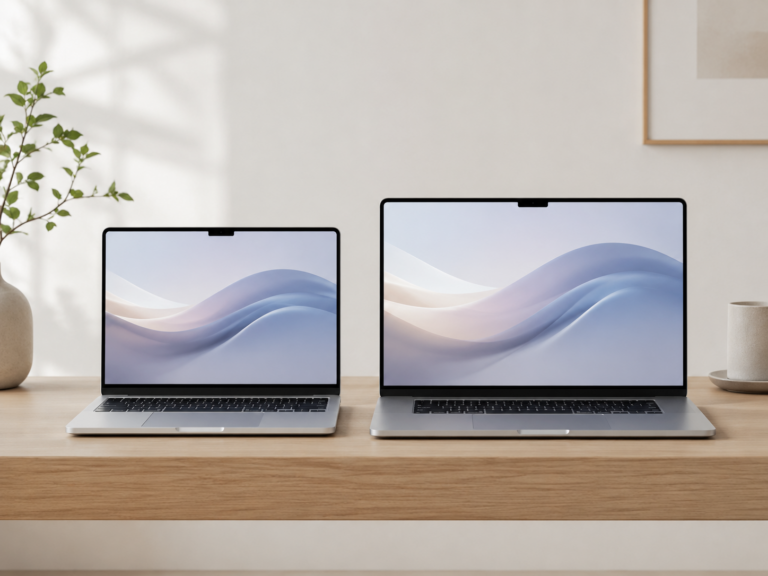
MacBook Air vs MacBook Pro for small business
Recommended setup by business type
Everyday office work
MacBook Air. Best for email, documents, spreadsheets, meetings, cloud tools, and general business use.
Owner or consultant
13-inch or 15-inch MacBook Air. Choose based on whether travel or screen space matters more.
Creative or technical business
MacBook Pro. Better when the laptop is used for production work, development, large files, or heavy apps.
Traveling team member
13-inch MacBook Air. Best for client visits, meetings, airports, coworking spaces, and work that moves between locations.
How much should a small business upgrade?
The goal is not to buy the fanciest MacBook. The goal is to buy the right laptop for the work and avoid unnecessary spending across the business.
For many small businesses, a practical MacBook Air with enough memory and storage, paired with a good monitor and backup plan, is a better setup than overspending on Pro models for everyone.
Final recommendation
For most small businesses, MacBook Air is the best place to start. It is portable, capable, reliable, and usually gives the best balance of performance and value.
Move up to MacBook Pro when the business has a clear workload-based reason, such as creative production, development, large projects, or sustained heavy multitasking.
Related ShopMac guides
Keep comparing before you buy.
| Remote Work Guide | MacBook Air vs Pro |
| Best Mac Deals | Buying Guides |
Affiliate disclosure: As an Amazon Associate I earn from qualifying purchases. Some buttons on this page may be affiliate links, meaning ShopMac may earn a commission at no extra cost to you. Recommendations are based on what makes sense for buyers, not the highest commission.