Best MacBook for Programming
The best MacBook for programming depends on what kind of development you do. A student learning to code, a web developer, an app developer, a cybersecurity student, a data worker, and a professional software engineer may all need different amounts of memory, storage, screen space, and performance headroom.
Most programmers should prioritize memory, screen comfort, and storage before chasing the highest chip.
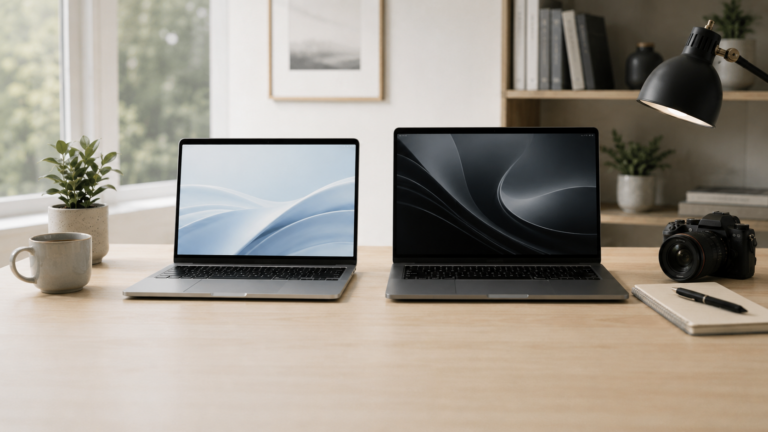
MacBook Air is a great starting point for learning to code, web development, school work, scripting, and lighter programming. MacBook Pro makes more sense for heavier development, larger projects, local servers, containers, virtual machines, app development, multitasking, and users who want more long-term headroom.
14-inch MacBook Pro
The best balance for developers who want strong performance, portability, more ports, and better long-term headroom.
MacBook Air
Best for students, web development, scripting, learning to code, and lighter programming work.
16-inch MacBook Pro
Best if you spend long days coding and want more room for editors, terminals, docs, and previews.
15-inch MacBook Air
A good middle ground if you want more screen space than the smaller Air without jumping to Pro.
Choose MacBook Pro if your development stack is heavy.
Programming itself is not always demanding, but development workflows can become heavy quickly. Containers, virtual machines, emulators, local databases, build tools, browsers, terminals, IDEs, and background services can make memory and sustained performance matter more than expected.
What matters most for programming?
Memory
Development tools, browsers, terminals, local servers, containers, and databases can all run at the same time.
Storage
Code projects, dependencies, SDKs, containers, virtual machines, databases, and build files can take up space.
Screen space
A larger screen helps with code editors, terminals, documentation, browser previews, and debugging windows.
Ports and workflow
Developers may use external monitors, keyboards, docks, test devices, drives, and networking accessories.
MacBook Air vs MacBook Pro for programming
Recommended setup by developer type
Student programmer
MacBook Air. Best for learning, assignments, web development, scripting, Git, and normal school work.
Web developer
MacBook Air or 14-inch MacBook Pro. Choose Pro if your workflow includes lots of tools and multitasking.
App developer
14-inch MacBook Pro. Better for IDEs, simulators, builds, testing, and longer development sessions.
Power developer
MacBook Pro with more memory. Best for containers, virtual machines, databases, large repos, and heavier workloads.
How much should programmers upgrade?
For programming, memory is usually one of the smartest upgrades. A faster chip can help with builds and heavier workloads, but many developers feel memory limits first because they keep so many tools open at once.
Storage also matters more than some buyers expect. Dependencies, SDKs, containers, local databases, virtual machines, node modules, Xcode files, and build artifacts can take up a lot of space. If you are serious about development, avoid cutting memory and storage too close.
Final recommendation
For most programmers who want a safe long-term choice, the 14-inch MacBook Pro is the best place to start. It gives strong performance, a better display, useful ports, and more headroom for heavier development work.
Choose the MacBook Air if you are learning, studying, doing web development, or keeping the workload light. Choose a MacBook Pro with more memory if you run containers, virtual machines, large IDEs, app development tools, or heavy multitasking every day.
Keep comparing before you buy.
| Mac Memory Guide | Mac Processor Guide |
| MacBook Air vs Pro | Best Mac Deals |
Affiliate disclosure: As an Amazon Associate I earn from qualifying purchases. Some buttons on this page may be affiliate links, meaning ShopMac may earn a commission at no extra cost to you. Recommendations are based on what makes sense for buyers, not the highest commission.